
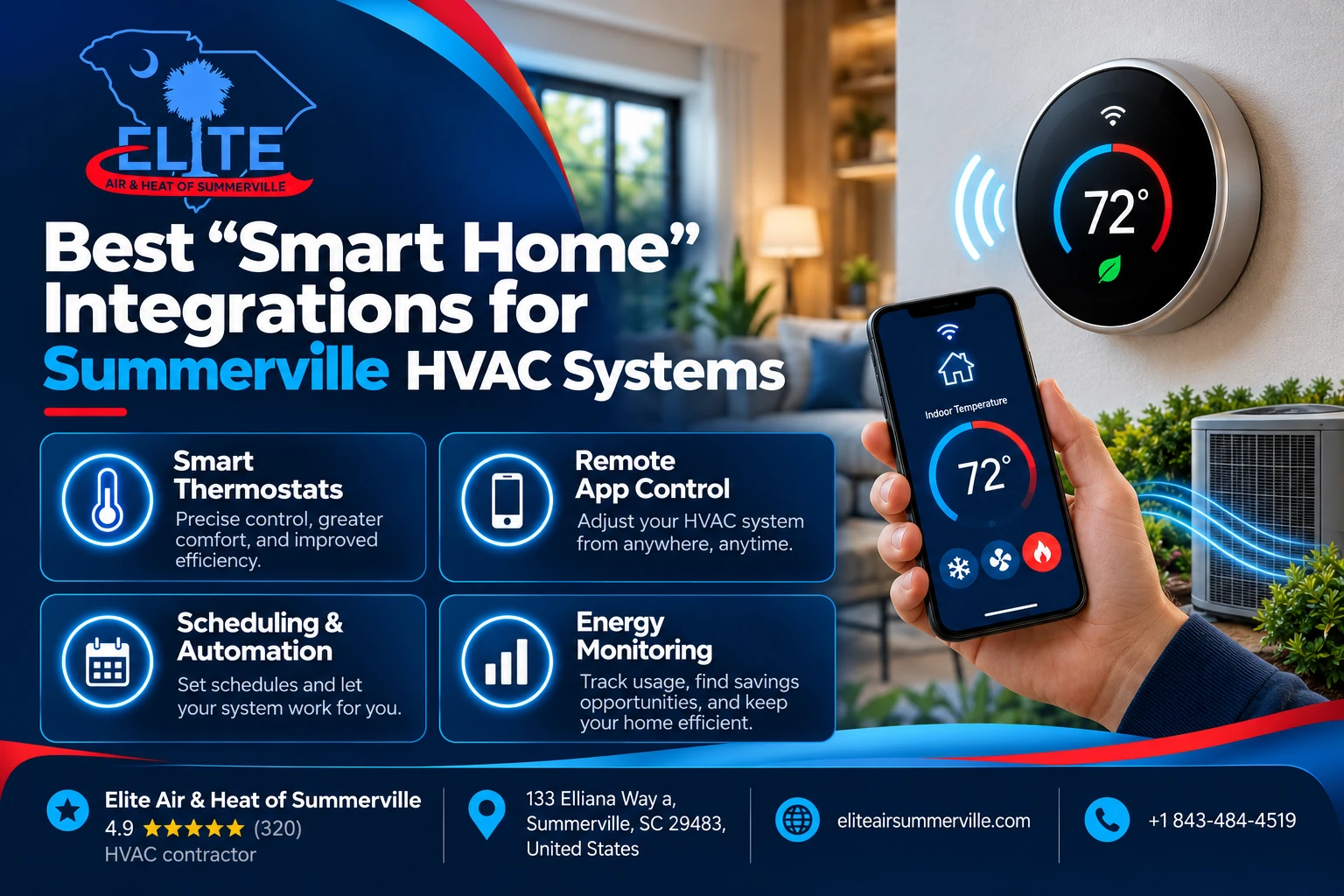
Smart thermostats have been around long enough that simply controlling your AC from a phone is not especially impressive anymore.
The more useful question is:
What should your HVAC system actually be connected to?
For a Summerville homeowner, the best smart-home integrations are not necessarily smart lights, voice commands, or a thermostat that changes colors.
They are the integrations that help the HVAC system respond better to:
- Hot upstairs bedrooms
- Long cooling seasons
- High indoor humidity
- Heat-pump operation
- Changing household schedules
- High summer electricity use
- Whole-home dehumidifiers and ventilation equipment
Here’s the plain answer.
For most homes, we would start with a good smart thermostat and room sensors. If humidity is a real problem, the next useful integration is dedicated dehumidification control. After that, utility-rate automation and properly designed zoning can provide additional value.
Everything else is secondary.
The goal is not to make the house look smarter in an app.
The goal is to make the HVAC system react to what is actually happening inside the house.
Ready to Make Your HVAC System Smarter?
Upgrade your Summerville home with smart HVAC integrations for better comfort and energy savings. Call today!
The Best Smart HVAC Integrations at a Glance
| Integration | Best For | Our Take |
| Smart thermostat | Almost every compatible system | Best starting point |
| Remote room sensors | Hot/cold rooms | High value |
| Humidity + dehumidifier control | Sticky Lowcountry homes | Excellent when actually needed |
| Smart utility programs | Reducing peak electricity costs | Worth considering |
| HVAC zoning | Large/multi-level homes | Excellent when designed correctly |
| Voice control | Convenience | Nice, but not essential |
| Door/window automation | Preventing waste | Useful in specific households |
| Smart vents | Room-by-room experimentation | Use cautiously |
| Manufacturer communicating controls | Variable-capacity equipment | Often better than third-party controls |
#1: A Smart Thermostat Is Still the Best Place to Start
For most homeowners, the thermostat is the bridge between the HVAC system and the rest of the smart home.
A good one can provide:
- Remote temperature control
- Scheduling
- Occupancy detection
- Humidity monitoring
- Energy-use information
- Room-sensor support
- Heat-pump staging
- Smart-home routines
- Alerts when conditions behave abnormally
ENERGY STAR says certified smart thermostats use actual field data to demonstrate energy savings, and common features include automatic setbacks, geofencing, remote control and equipment-use information.
But the thermostat needs to fit the equipment.
A smart thermostat that cannot properly control your heat pump, dehumidifier or variable-capacity system is not an upgrade.
Our Best Overall Integration Choice: Ecobee
For homeowners who want their thermostat to cooperate with several different smart-home ecosystems, ecobee is probably our strongest all-around choice.
The current Smart Thermostat Premium integrates with Apple HomeKit, Amazon Alexa, Google Assistant and Samsung SmartThings. It also supports compatible HVAC accessories such as humidifiers, dehumidifiers and ventilation equipment.
That flexibility matters if your house already contains a mixture of products.
Maybe somebody uses an iPhone.
Maybe there are Alexa speakers throughout the house.
Maybe you have SmartThings devices.
You do not necessarily want the HVAC system forcing you to rebuild the entire smart home around one manufacturer.
Why Ecobee Makes Sense in Summerville
Ecobee also has features that are more relevant to our climate than voice commands.
The thermostat measures humidity and supports an AC Overcool to Dehumidify setting. That allows the AC, within configured limits, to continue cooling somewhat beyond the normal temperature target when extra moisture removal is needed. Ecobee can also directly control one compatible humidifier, dehumidifier or ventilation accessory through its accessory terminals.
That can be useful in a Lowcountry home.
But remember:
Overcooling is not the same as dedicated dehumidification.
If your home stays around 65% relative humidity all summer, we would rather understand why than simply tell the thermostat to make the house colder.
Best Google Home Integration: Nest Learning Thermostat
If your smart home already revolves around Google Home, the current Nest Learning Thermostat, 4th generation is a strong fit.
Google lists the thermostat as compatible with Google Home and Matter, and the current model supports most 24-volt HVAC equipment including heat pumps with auxiliary and emergency heat. It can also control compatible humidification, dehumidification and ventilation equipment.
Matter is especially interesting because it is designed to make devices from different smart-home ecosystems work together more easily.
Google explains that Matter-enabled devices can be controlled through multiple compatible ecosystems and that commands can operate over the home’s local network rather than requiring every action to travel through a cloud server.
The 4th-generation Nest also received a 2026 software update adding Matter bridge support for thermostat sensors and expanded multistage heat-pump configuration.
That makes Nest substantially more flexible than the older idea of:
“Nest is only for simple systems.”
One Nest Warning for Older Smart Homes
If you still have a very old Nest thermostat, check the generation.
Google ended connected support for 1st- and 2nd-generation Nest Learning Thermostats on October 25, 2025.
Those thermostats can still perform basic local thermostat functions, but they no longer receive the connected-app, remote-control or security-update functionality they once had.
So if you are trying to build new smart-home routines around an early Nest from 2011 or 2012, replacing the thermostat may be the more sensible starting point.
Best Advanced HVAC Integration: Honeywell Home T10+ Pro
If the house has more complicated HVAC controls, we would give the Honeywell Home/Resideo T10+ Pro serious consideration.
The T10+ can use wireless room sensors, geofencing and occupancy information.
More importantly, when paired with the appropriate Equipment Interface Module, Resideo says it can control humidification, dehumidification and ventilation simultaneously, along with more heating and cooling stages than the thermostat alone.
That becomes useful when the system includes things such as:
- A heat pump
- Multiple stages
- Auxiliary heat
- A whole-home dehumidifier
- Fresh-air ventilation
- Additional HVAC sensors
This is where we care less about which thermostat has the prettiest app.
The HVAC equipment may need a serious control system first.
Smart-home convenience comes second.
#2: Remote Room Sensors May Be More Useful Than Voice Control
This may be the highest-value smart-home addition after the thermostat itself.
Most thermostats live in one location.
Maybe yours is in the downstairs hallway.
But your family sleeps upstairs.
So which temperature actually matters at 10 p.m.?
A remote sensor allows the thermostat to know what is happening somewhere else.
Current ecobee SmartSensors can provide temperature and occupancy information to the thermostat. The Nest Learning Thermostat 4th generation includes a remote temperature sensor, while Resideo’s T10+ system can use wireless room sensors and prioritize rooms based on schedule, occupancy or geofencing.
For a two-story Summerville home, that can be extremely useful.
But Sensors Do Not Create More Airflow
This is one of the most important limitations to understand.
Suppose:
Downstairs = 72°F
Upstairs bedroom = 78°F
A remote sensor can tell the thermostat:
“Keep running because the bedroom is still warm.”
But unless your duct system has actual zoning capability, it cannot tell the system:
“Send all the air upstairs.”
The downstairs continues receiving conditioned air too.
That means sensors are useful for measuring and prioritizing comfort.
They cannot repair:
- An undersized upstairs duct
- A crushed flex run
- Poor return airflow
- Attic insulation problems
- Excessive solar gain
- A badly balanced system
If adding a sensor makes the AC run forever just to satisfy one hot bedroom, you have learned something.
The room may have a mechanical problem.
#3: Smart Humidity Control Is More Important Here Than in Many Climates
In Summerville, we would rank humidity control above a lot of flashy smart-home features.
A thermostat showing 73°F does not necessarily mean the home is comfortable.
If relative humidity is high, the house can still feel sticky.
That is why we like integrations that let the control system see humidity and, when appropriate, control dedicated moisture-removal equipment.
Ecobee’s current Smart Thermostat Premium supports compatible dehumidifiers as an HVAC accessory. The Nest Learning Thermostat 4th generation includes DEHUM connections for compatible equipment. Resideo’s T10+ with its Equipment Interface Module can manage dehumidification along with humidification and ventilation.
Those are meaningful HVAC integrations.
Why Dedicated Dehumidification Is Different
Your air conditioner only removes significant moisture while its evaporator coil is cold and the system is running.
Imagine a day that is:
78°F and extremely humid.
The house may not need much cooling.
So the AC barely runs.
Yet moisture can continue entering the building.
A whole-home dehumidifier can remove that moisture even when the thermostat does not need significant cooling.
When that dehumidifier is integrated with the HVAC controls, the system can manage temperature and humidity as separate comfort variables.
That is much more useful in South Carolina than simply saying:
“Alexa, lower the thermostat two degrees.”
#4: Dominion Energy Integration Can Turn a Smart Thermostat Into a Bill-Control Tool
Smart HVAC becomes particularly useful when it understands when you use electricity, not just how much.
Dominion Energy South Carolina currently offers instant discounts on selected ENERGY STAR-certified smart thermostats through its EnergyWise Savings Store.
It also offers its Reward Hours program.
As of September 2026, customers who enroll a compatible thermostat can earn up to $100 in the first year and $25 in subsequent years by allowing small remote thermostat adjustments during certain high-demand periods. Dominion says those adjustments can be overridden at any time.
That is an actual smart-home integration with financial value.
Smart Thermostats Also Matter on Time-of-Use Rates
Dominion’s You Shift/You Save residential time-of-use plan charges different electricity prices depending on when power is consumed.
Dominion specifically identifies homes with smart thermostats as potentially good candidates because thermostats can automatically shift HVAC operation around the rate periods.
For example, a smart thermostat might precool the house somewhat before an expensive peak period and reduce compressor operation during the higher-cost window.
That sounds easy.
But we would set limits.
We do not want an aggressive energy-saving routine creating:
- Poor comfort
- Excess humidity
- Excessive heat-pump recovery
- Unnecessary auxiliary heat later
- Huge temperature swings
Smart controls should make the HVAC system operate more intelligently.
They should not make the homeowner uncomfortable to win a spreadsheet contest.
#5: Smart Zoning Can Be Excellent—When It Is Actual HVAC Zoning
There is a big difference between:
room sensors
and
zoning.
Real zoning uses dampers in the duct system to direct conditioned air toward different parts of the house.
For example:
Zone 1: downstairs
Zone 2: upstairs
Zone 3: primary bedroom
Now the system can actually change where air is delivered.
Resideo’s RedLINK platform, for example, can be used with compatible TrueZONE equipment to add wireless zone control to a properly designed HVAC system.
This can be extremely useful in large or multi-story Summerville homes.
But zoning needs to be designed correctly.
Why We Are Careful With Zoning
Closing duct dampers changes airflow and system pressure.
If the duct system and equipment are not designed for that condition, zoning can cause:
- High static pressure
- Excessive airflow noise
- Reduced airflow across the coil
- Equipment performance problems
- Short cycling
Variable-capacity HVAC equipment can pair beautifully with zoning because the equipment may be able to reduce capacity as fewer zones call.
A fixed-capacity system may require a different strategy.
This is where professional design matters.
The goal is not to install more motorized dampers.
The goal is to deliver the right amount of air to the zones that need it without creating another HVAC problem.
What About Smart Vents?
Smart register vents sound almost too perfect.
The bedroom is hot?
Close vents elsewhere automatically.
Send the air where you want it.
We would be cautious.
Closing too many supply registers can increase duct pressure and reduce total system airflow.
That can be especially problematic if the HVAC system was already operating near its airflow limits.
If one room stays hot, we would rather determine:
- How much airflow it receives
- What airflow it actually requires
- Whether the duct is restricted
- Whether return air is adequate
- Whether insulation or solar gain is involved
before installing a collection of automated registers.
Sometimes the smartest home upgrade is fixing the duct.

Best Backup Generators for HVAC During SC Summer Storms
When the power goes out during a South Carolina summer storm, losing the lights is inconvenient. Losing the air conditioner…
#6: Door and Window Sensors Can Prevent an Expensive Mistake
This is less important for some households and extremely useful for others.
Imagine the kids leave the patio door open while the AC runs.
The thermostat sees the indoor temperature rising.
Its response is:
Run harder.
The thermostat does not inherently know that somebody has opened the building envelope.
Some connected systems can change that.
Ecobee, for example, offers a “Pause when Open” feature that can stop heating or cooling after a compatible door or window sensor has detected an opening for a set period. Ecobee currently requires compatible SmartSensors for doors/windows and its applicable Smart Security subscription for that feature.
Is that essential?
No.
But in a house with children, frequently used patio doors or short-term guests, it can prevent the HVAC system from trying to cool South Carolina.
#7: Smart HVAC Alerts Are More Useful Than Most Voice Commands
One feature we like about connected HVAC controls is remote notification.
You are on vacation.
The house normally stays at 76°F.
Suddenly the app says:
Indoor temperature: 86°F.
Now you know something may be wrong before you arrive home several days later.
That can matter for:
- Pets
- Indoor humidity
- Refrigerated medications
- Sensitive belongings
- Second homes
- Extended travel
Some thermostat platforms can also provide filter reminders and HVAC-health notifications.
Google, for example, currently lists HVAC System Health Monitor and air-filter reminders as available features on its current connected Nest thermostat platforms.
These alerts are not professional diagnostics.
A thermostat cannot necessarily tell whether the problem is a capacitor, refrigerant leak, clogged drain or failed compressor.
But it can tell you:
Something changed.
That is useful.
#8: Smart Indoor-Air-Quality Integration Can Be Worth It
Temperature is only one part of indoor comfort.
A more advanced HVAC control system can sometimes coordinate:
- Filtration
- Humidity
- Ventilation
- Air purification
- Outdoor-air equipment
AprilAire, for example, offers home-automation controls designed to integrate temperature, humidity, fresh-air ventilation and air-quality equipment through compatible controls.
Resideo likewise positions the T10+ as a control platform capable of coordinating humidity and ventilation accessories.
This can make sense when the home genuinely has multiple indoor-air-quality components.
But we would not install a pile of connected IAQ equipment simply because an app can control it.
Each component should solve a defined problem.
High humidity?
Measure humidity.
Pollen problem?
Evaluate filtration and infiltration.
Stale-air problem?
Evaluate ventilation.
Do not solve every air-quality concern with another Wi-Fi device.
Heat Pumps Need Smarter Configuration, Not Just a Smarter App
This is important in Summerville.
A lot of homes use heat pumps.
Heat-pump control can include:
- Compressor stages
- Reversing valve operation
- Auxiliary electric heat
- Emergency heat
- Outdoor temperature logic
- Dual-fuel operation
The current Nest Learning Thermostat 4th generation supports up to three heating stages, two cooling stages and heat pumps with auxiliary/emergency heat. Ecobee supports common multistage and dual-fuel heat-pump applications, while the Resideo T10+ supports up to 4H/2C heat-pump control when used with its EIM.
Those capabilities are useful.
But they also mean there are more settings to configure.
An incorrect thermostat setup can cause a heat pump to use auxiliary heat unnecessarily or stage equipment poorly.
That can get expensive quickly.
A smart thermostat needs a smart installation.
Your C-Wire Still Matters
Wireless apps do not mean wireless HVAC.
The thermostat still needs power.
Ecobee uses 24VAC power through a C-wire and includes a Power Extender Kit for many systems where a dedicated C-wire is unavailable.
Google says its current Nest Learning Thermostat is designed to operate without a C-wire in most installations, although some homes still require a C-wire or Nest Power Connector.
We prefer reliable thermostat power.
If the thermostat repeatedly loses Wi-Fi, drains batteries, behaves strangely or creates equipment-control problems, trying to avoid one additional wire may not have been worth it.
One Situation Where the “Smart” Thermostat May Be the Wrong Upgrade
This matters if you own high-end variable-capacity HVAC equipment.
Some systems use proprietary communicating controls.
Instead of sending simple on/off commands such as:
Stage 1.
Stage 2.
Fan on.
these systems can continuously communicate operating information between the thermostat, indoor unit and outdoor equipment.
If you remove the manufacturer’s controller and install a generic smart thermostat, you can sometimes lose capabilities that made the premium equipment worth buying.
That does not mean ecobee, Nest or Honeywell is bad.
It means the controls need to match the system.
If you have communicating equipment, ask:
“What functionality will I lose if we replace the factory controller?”
A good technician should know before removing it from the wall.
Which Ecosystem Would We Choose?
For many standard 24-volt Summerville HVAC systems:
Ecobee: Best all-around smart-home compatibility
Choose ecobee if you want broad integration with Apple HomeKit, Alexa, Google Assistant and SmartThings, along with strong room-sensor and humidity features.
Nest: Best Google/Matter ecosystem
Choose Nest when Google Home is already the center of the house and you want strong automation, room sensing and modern Matter interoperability.
Honeywell Home T10+: Best HVAC-first smart control
Choose the T10+ when the system is more complicated and controlling dehumidification, ventilation, multiple stages or advanced accessories matters more than consumer smart-home novelty.
None is universally best.
The equipment determines the answer.
What We Would Upgrade First in a Typical Summerville Home
If we walked into a normal home with conventional central HVAC and no existing smart controls, our order would usually be:
First: Install the right smart thermostat.
Then:
Add one or two room sensors where comfort actually matters.
If measurements show persistent humidity problems:
Integrate whole-home dehumidification.
If the house has legitimate floor-to-floor load differences:
Evaluate real HVAC zoning.
And if Dominion’s rate programs make sense for the homeowner:
Use thermostat scheduling or utility integration to reduce expensive peak operation.
That gives you a smart HVAC system built around comfort.
Not a smart home built around gadgets.
What Should a Technician Check Before Installing Any of This?
Before swapping thermostats or adding controls, a good technician should identify:
- Equipment type
- Heat pump vs. conventional system
- Number of stages
- Auxiliary heat
- Communicating vs. conventional controls
- Thermostat wiring
- Available C-wire
- Existing zoning
- Dehumidifier or ventilation equipment
- Indoor humidity
- Actual room-to-room comfort complaints
- Current smart-home ecosystem
That last one matters.
There is no reason to recommend a homeowner rebuild everything around Alexa when the entire family already uses Apple Home.
Technology should fit the homeowner.
The Bottom Line
The best smart-home HVAC integration for a Summerville house is not necessarily the one with the most automations.
Our priority list is:
#1 — Smart thermostat
For scheduling, remote control and better system visibility.
#2 — Remote room sensors
For understanding and prioritizing actual occupied-room temperatures.
#3 — Humidity and whole-home dehumidifier integration
Especially valuable in the Lowcountry when moisture remains high even though temperature is under control.
#4 — Dominion Energy integration
Current South Carolina programs include discounted smart thermostats and Reward Hours incentives for eligible customers who allow small temporary adjustments during peak-demand events.
#5 — Proper HVAC zoning
Excellent for the right multi-level home, but only when the ductwork and equipment can support it.
And if you only remember one thing, remember this:
A connected HVAC system is not automatically a well-controlled HVAC system.
You can connect your thermostat to Alexa, Apple Home, Google Home, Matter and your refrigerator if you want.
None of those integrations can repair a crushed duct, correct an oversized AC, find a refrigerant leak or solve excessive indoor humidity caused by a building problem.
Start with the HVAC system.
Then add technology where it genuinely improves how that system operates.
If you want smarter control of a Summerville HVAC system, Elite Air & Heat of Summerville can help determine what equipment and wiring you already have, which thermostat and sensors actually fit it, and whether humidity control, zoning or another upgrade would solve a real comfort problem.
The goal is not to make your home more connected.
The goal is to make your comfort system more useful.
Is Your HVAC System Smart Home Ready?
Connect your HVAC system with smart thermostats and automated controls. Call today to get started!