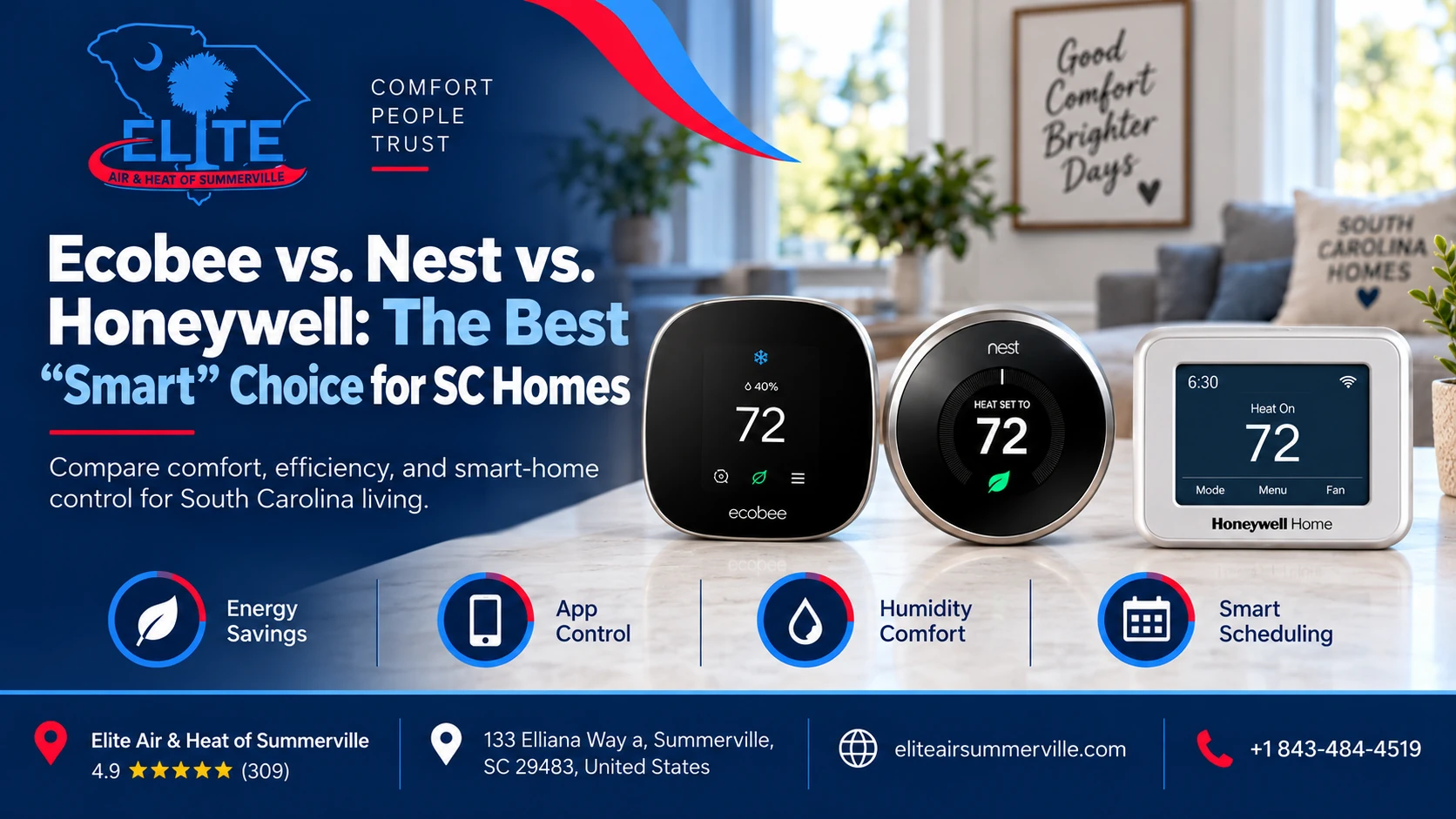

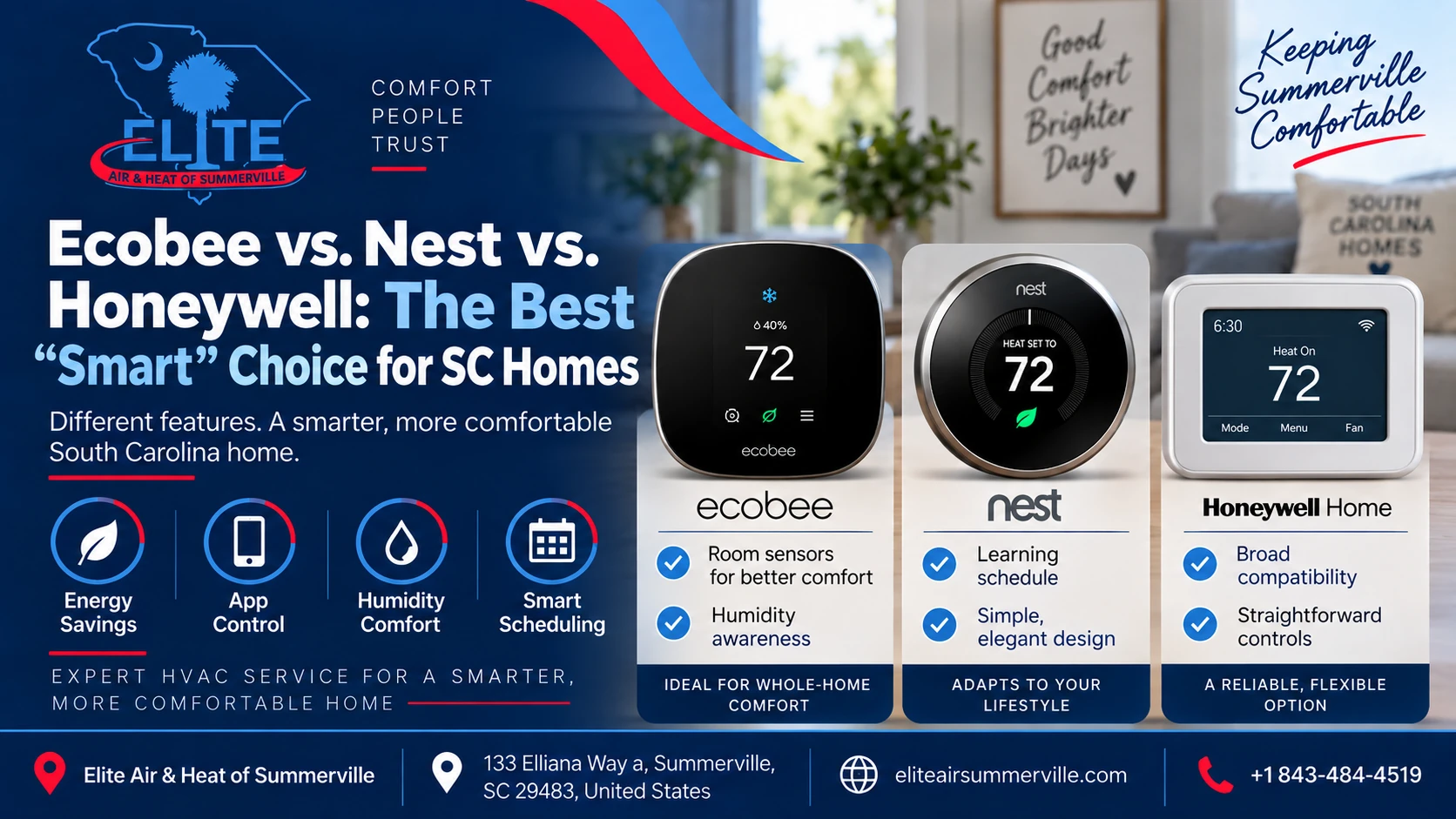
If you are replacing an old thermostat, it is easy to assume the decision comes down to three names:
Ecobee, Nest, or Honeywell Home.
All three can control your HVAC system from your phone. All three offer scheduling and energy-saving features. Depending on the model, all three can use remote room sensors.
But that does not mean they are interchangeable.
Here’s the plain answer.
For many South Carolina homes with a conventional air conditioner or heat pump, ecobee is our strongest all-around smart thermostat choice. Nest makes a lot of sense for homeowners who value simplicity, automatic scheduling, and the Google Home ecosystem. Honeywell Home particularly the T10+ Pro is often the better fit when the HVAC system has more complicated controls, multiple stages, a whole-home dehumidifier, ventilation equipment, or other accessories.
There is one bigger rule, though:
The thermostat has to match the HVAC equipment.
A $250 smart thermostat installed incorrectly can control a system worse than the basic thermostat it replaced.
And in the Lowcountry, where an HVAC system spends months dealing with heat and humidity, correct equipment control matters more than having the nicest-looking screen.
Find the Right Smart Thermostat
Get expert help choosing and installing the best smart thermostat for your SC home. Call today for professional service.
Quick Comparison: Ecobee vs. Nest vs. Honeywell
| Best For | Ecobee | Google Nest | Honeywell Home |
| Overall choice for many standard HVAC systems | Excellent | Very good | Very good |
| Heat pump homes | Excellent | Very good | Excellent |
| Remote room sensors | Excellent | Very good | Excellent |
| Humidity-focused comfort | Excellent | Very good | Excellent, especially T10+ |
| Learning your schedule automatically | Good | Excellent | Good |
| Google smart-home users | Good | Excellent | Good |
| Apple Home users | Excellent | Depends on setup/Matter | Good, model dependent |
| Complex HVAC accessories | Very good | Very good | Excellent, especially T10+ |
| Straightforward homeowner interface | Very good | Excellent | Very good |
| Professional HVAC configuration | Very good | Very good | Excellent |
Those are general rankings, not guarantees.
The exact equipment in your home can completely change the recommendation.
Why South Carolina Homes Need a Different Thermostat Conversation
A thermostat in South Carolina does more than decide whether the house is 72°F or 74°F.
During a long, humid cooling season, the way your system runs also affects moisture removal.
That matters because a home can technically reach the thermostat setting and still feel uncomfortable.
For example:
74°F at reasonable indoor humidity can feel comfortable.
74°F with excessive humidity can feel sticky and warm.
That is why we pay particular attention to thermostat features involving:
- Humidity monitoring
- Dehumidification
- Cooling cycle management
- Heat pump auxiliary heat
- Equipment staging
- Room sensors
- Whole-home dehumidifiers
- Ventilation equipment
A smart thermostat cannot correct an undersized duct system, oversized air conditioner, refrigerant problem, or poorly designed HVAC system.
But the right thermostat can do a much better job of managing good equipment.
Ecobee: Our Best All-Around Choice for Many SC Homes
Ecobee has developed a strong balance between homeowner-friendly features and fairly serious HVAC controls.
The current Smart Thermostat Premium includes temperature, humidity, occupancy, and proximity sensing. It supports most common 24-volt HVAC systems, including multistage and dual-fuel heat pumps, and can work with accessories such as humidifiers, dehumidifiers, HRVs, and ERVs. Ecobee also includes a Power Extender Kit for many installations where a traditional C-wire is unavailable.
That combination is one reason ecobee makes sense in this climate.
Where Ecobee Does Especially Well
One of ecobee’s strongest features is its approach to room sensors.
A SmartSensor can be placed in a bedroom, nursery, home office, upstairs bonus room, or another area where comfort matters more than the hallway where the thermostat happens to be mounted.
The sensors measure temperature and occupancy, and ecobee can use that information when determining how the system should operate.
That can be useful in two-story homes where the upstairs stays warmer or in floor plans where the thermostat is located in a part of the house that does not represent how the occupied rooms actually feel.
But there is an important limitation.
A Room Sensor Does Not Create HVAC Zoning
This gets misunderstood frequently.
Imagine the thermostat is downstairs and a sensor says the upstairs bedroom is 78°F.
The thermostat can respond by running the AC longer.
What it cannot do unless you have a true zoning system is magically send all the conditioned air upstairs.
The rest of the home continues receiving air too.
So if one room is consistently 6 or 8 degrees hotter because of ductwork, insulation, solar gain, or airflow problems, installing additional sensors may help compensate but may not actually solve the cause.
This is where homeowners sometimes spend money on smart controls when the real problem is mechanical.
Why We Like Ecobee for Humid Climates
Ecobee’s software can account for indoor humidity, and supported models include functions such as AC Overcool to Dehumidify, which can allow the air conditioner to run beyond the normal temperature target within configured limits to help remove additional moisture. It can also directly support compatible dehumidification equipment.
That does not turn an air conditioner into a dedicated whole-home dehumidifier.
It also does not mean you should simply keep lowering the temperature whenever the house feels humid.
If humidity remains high, the bigger question is why.
Possible causes include:
- An oversized air conditioner
- Short cycling
- Duct leakage
- Outside-air infiltration
- Incorrect airflow
- Equipment setup problems
- A moisture problem in the home
- A need for dedicated dehumidification
The thermostat is one piece of that puzzle.
Who Should Choose Ecobee?
Ecobee is particularly attractive if you:
- Have a conventional AC or heat pump system
- Want good room-sensor capabilities
- Care about humidity information
- Want flexible scheduling without giving the thermostat complete control
- Use Apple Home, Alexa, Google Assistant, or SmartThings
- Have hot and cold rooms you want to monitor
- Want more HVAC-oriented settings than a basic consumer thermostat provides
The Smart Thermostat Premium was listed at $259.99 by ecobee at the time this article was researched, although thermostat pricing and promotions change.
Nest: Best for Simplicity and Automatic Learning
Nest is probably the smart thermostat brand most homeowners recognize immediately.
Its biggest appeal has always been that it tries to make thermostat programming less complicated.
Rather than expecting homeowners to build elaborate schedules, the Nest Learning Thermostat can learn patterns and adjust operation automatically.
The current Nest Learning Thermostat, 4th generation, also includes a remote Nest Temperature Sensor and works with most 24-volt HVAC equipment, including heat pumps with auxiliary and emergency heat. Google lists support for up to three stages of heating and two stages of cooling, along with compatible humidifiers, dehumidifiers, and ventilation controls.
Its regular Google Store price was $279.99 at the time of our research.
Where Nest Does Especially Well
Nest is easy to understand.
If someone already uses Google Home devices and wants a thermostat that feels like part of that ecosystem, Nest makes sense.
The 4th-generation Learning Thermostat can automatically develop a schedule based on household behavior and includes features intended to find energy-saving opportunities.
Its included temperature sensor can also tell the thermostat to prioritize a different part of the house instead of relying entirely on the temperature measured at the thermostat itself.
For homeowners who do not want to spend much time thinking about thermostat programming, that is appealing.
What About Nest and Humidity?
The newer Nest Learning Thermostat has considerably more humidity-control capability than some homeowners associate with older Nest products.
The 4th-generation model has a built-in humidity sensor and can support compatible whole-home humidifiers, dehumidifiers, and ventilation equipment. Google also offers Humidity Helper features including Smart Humidity and Cool to Dry when the relevant equipment and configuration support them.
So saying “Nest isn’t good for humidity” would be too simplistic.
The more important question is whether the specific Nest model can properly control your particular system.
Does Nest Need a C-Wire?
This is another area where the answer gets oversimplified.
Google says the 4th-generation Nest Learning Thermostat is designed to work without a C-wire in most installations. In some situations a C-wire or Nest Power Connector is still required.
Our practical approach is simple:
Reliable thermostat power is preferable to trying to get clever with wiring.
If proper thermostat wiring is available, we would rather see the thermostat supplied and configured correctly than choose a thermostat solely because someone wants to avoid running an additional wire.
Heat pump systems, zoning panels, accessories, and older wiring can complicate what appears to be an easy DIY thermostat swap.
Who Should Choose Nest?
Nest makes the most sense if you:
- Already use Google Home
- Prefer an extremely clean interface
- Want the thermostat to learn your routine
- Have a relatively straightforward compatible HVAC system
- Want room-temperature sensing
- Value smart-home integration and appearance
- Prefer less manual schedule management
It is a very good thermostat.
It just is not automatically the best thermostat for every HVAC system.
Honeywell Home: Best When HVAC Control Comes First
Honeywell thermostats have been around HVAC equipment for a long time, and today’s Honeywell Home products are made by Resideo.
There are multiple Honeywell smart thermostat models, so saying “Honeywell versus Nest” is slightly misleading.
Two worth understanding are the T9 and T10+ Pro.
Honeywell Home T9
The T9 is closer to the mainstream ecobee/Nest comparison.
It supports remote Smart Room Sensors that measure temperature and humidity, and homeowners can prioritize different rooms according to schedule or occupancy. It also offers geofencing and smart-home integrations.
For someone who wants smart features without moving too far away from a more traditional thermostat experience, the T9 can be a good fit.
But for more involved HVAC systems, the T10+ Pro is where Honeywell becomes particularly interesting.

How Much Does It Cost to Fix a Slab Leak in a Rock Hill Foundation?
If you've recently discovered a slab leak, the next step is a proper leak detection and diagnosis rather than guessing.…
Why the Honeywell T10+ Pro Stands Out
The T10+ Pro is designed with professional HVAC configuration in mind.
Depending on how it is installed, it can support multistage heat pumps, dual-fuel systems, remote room sensors, and accessories including humidification, dehumidification, and ventilation. Versions using Honeywell’s Equipment Interface Module can provide additional equipment-control flexibility.
For a Lowcountry home with:
- A heat pump
- Auxiliary heat
- A whole-home dehumidifier
- Ventilation equipment
- Multiple equipment stages
- More complicated thermostat wiring
that additional control can matter more than whether the thermostat has the slickest app.
Honeywell’s Room Sensors Are Also Worth Noticing
The T9 and T10+ platforms can use multiple room sensors, and Resideo states that its sensors can measure both temperature and humidity in the rooms being monitored. The platform can then prioritize specific rooms or average conditions across selected rooms.
Again, this does not replace proper zoning.
But it provides useful information about what different parts of the house are actually doing.
Who Should Choose Honeywell Home?
Honeywell Home is particularly worth considering if you:
- Have a more complicated heat pump setup
- Have a whole-home dehumidifier
- Use ventilation equipment
- Want professional HVAC configuration
- Need multiple room sensors
- Prefer traditional scheduling controls
- Want your HVAC contractor involved in setup
The T10+ Pro may be more thermostat than a simple one-stage AC system needs.
And that is okay.
Buying the most capable thermostat does not automatically improve comfort.
So Which One Would We Put in Our Own House?
For a typical South Carolina home with a conventional 24-volt heat pump or AC system, our decision would usually look like this:
Choose Ecobee if you want the best all-around balance
For many homeowners, ecobee is the sweet spot.
Good HVAC compatibility, strong remote sensors, useful humidity features, flexible smart-home integration, and understandable controls make it difficult to go wrong when the system is compatible.
Choose Nest if ease of use matters most
If you want something elegant, automatic, and tightly connected to Google Home, Nest is an excellent choice.
Its learning features are particularly attractive for households with changing schedules.
Choose Honeywell T10+ when the HVAC system is more complicated
If the thermostat has to manage serious HVAC accessories or more advanced system configurations, Honeywell Home’s T10+ Pro can be the better tool.
The homeowner may interact with it less.
But the technician configuring the equipment may appreciate what is available behind the screen.
One Situation Where We May Recommend None of Them
This is important.
Some high-efficiency variable-capacity and communicating HVAC systems are designed to operate with their manufacturer’s own communicating controller.
In those systems, replacing the factory control with a generic Ecobee, Nest, or Honeywell thermostat can sometimes mean giving up equipment features or control capability.
ENERGY STAR specifically advises homeowners with some very high-efficiency heating and cooling equipment to consider the controller provided by the HVAC manufacturer.
So if you have a variable-speed or communicating system, do not buy a thermostat first and figure out compatibility afterward.
Check the equipment.
A good technician should be able to explain whether installing a third-party smart thermostat preserves the functionality you paid for.
Will a Smart Thermostat Actually Lower Your Electric Bill?
Possibly but don’t expect miracles from the thermostat alone.
ENERGY STAR says certified smart thermostats must demonstrate energy savings based on real-world field data. It estimates average savings around 8% of heating and cooling costs, although actual results vary with climate, equipment, occupancy, and how the thermostat is used.
The biggest opportunities generally come when the thermostat prevents unnecessary heating or cooling.
For example, automatically changing the temperature when everyone leaves home can save energy compared with maintaining the exact same temperature around the clock.
But installing a $250 thermostat will not correct:
- Leaking ductwork
- Low refrigerant
- A dirty coil
- Poor insulation
- An oversized HVAC system
- Incorrect airflow
- A failing compressor
- High indoor humidity caused by building problems
The thermostat controls the equipment.
It does not repair it.
Can You Install a Smart Thermostat Yourself?
Sometimes.
If you have a simple conventional HVAC system, clearly identified low-voltage wiring, and a thermostat specifically confirmed as compatible, the physical thermostat replacement may be straightforward.
But stop if you encounter:
- Unidentified wires
- A heat pump you are unsure how to configure
- Emergency or auxiliary heat
- A zoning control panel
- A whole-home dehumidifier
- Multiple-stage equipment
- Communicating HVAC equipment
- No reliable thermostat power
- Equipment that behaves differently after installation
Thermostat wiring mistakes can cause more than inconvenience.
Incorrect heat pump setup, for example, can result in the wrong heating stages operating or auxiliary heat being used improperly.
What Should a Technician Check Before Recommending a Smart Thermostat?
A good thermostat recommendation should start at the HVAC equipment, not at the store shelf.
Before recommending one, we want to know:
- What type of HVAC system do you have?
- Is it conventional or communicating?
- How many heating and cooling stages are there?
- Is it a heat pump?
- Is auxiliary or emergency heat involved?
- Is the system dual fuel?
- Is there a C-wire?
- Is there zoning?
- Is there a whole-home dehumidifier?
- Is there ventilation equipment?
- Are there existing indoor air quality accessories?
- Are there rooms with real comfort problems?
- What smart-home platform does the homeowner actually use?
Only then does the brand comparison become useful.
Don’t Buy a Smart Thermostat to Fix a Mechanical Problem
This may be the most important part of the article.
If your upstairs is always hot, buying three remote sensors feels like a logical solution.
But what if the real problem is inadequate airflow upstairs?
What if a return duct is undersized?
What if attic insulation is poor?
What if the AC is oversized and therefore does a poor job controlling humidity?
A thermostat can measure those conditions.
It can sometimes compensate for them.
It cannot always fix them.
If comfort, humidity, or temperature differences keep coming back, the system itself deserves to be inspected.
The Bottom Line
If you want the simplest version:
Ecobee: Best all-around choice for many South Carolina HVAC systems.
Nest: Best for homeowners who prioritize automatic learning, simplicity, and Google Home integration.
Honeywell Home T10+: Best for homeowners whose HVAC system needs more advanced professional control, particularly when dehumidification, ventilation, multiple stages, or other accessories are involved.
But if you only remember one thing, remember this:
Buy the thermostat that fits the HVAC system not the thermostat with the best commercial.
ENERGY STAR also recommends verifying HVAC compatibility before purchasing a smart thermostat and notes that many models need reliable low-voltage power through a C-wire or appropriate adapter.
In a South Carolina home, we would put humidity control, heat pump operation, equipment compatibility, and actual comfort ahead of novelty features.
A good technician should be able to show you exactly what equipment you have, explain which thermostat functions it requires, and tell you what if anything you would gain or lose by choosing Ecobee, Nest, Honeywell, or the manufacturer’s own control.
The goal is not to make your thermostat smarter.
The goal is to make your entire HVAC system work the way it is supposed to.
If you are dealing with uneven temperatures, high indoor humidity, confusing heat pump operation, or an older thermostat and are not sure which category your home falls into, Elite Air & Heat of Summerville can help evaluate the system before you spend money on a control that may not solve the actual problem.
Ready for Smarter Home Comfort?
Upgrade to the right Ecobee, Nest, or Honeywell thermostat. Call now for expert installation.